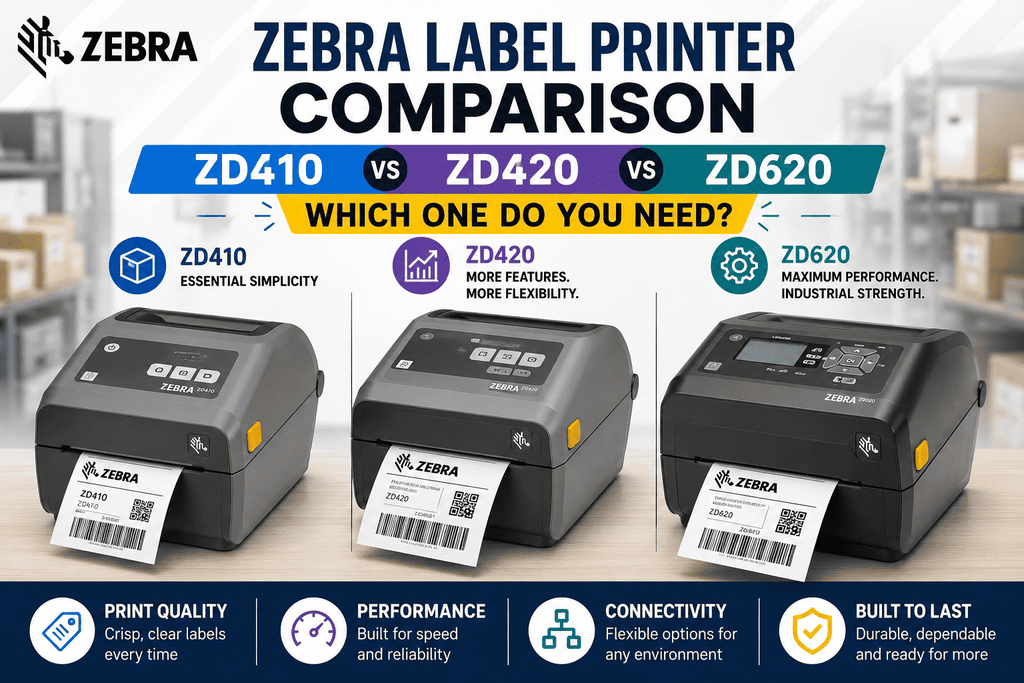
Zebra Label Printer Comparison: ZD410 vs ZD420 vs ZD620 — Which One Do You Need?
Zebra Label Printer Comparison: ZD410 vs ZD420 vs ZD620 — Which One Do You Need?
Zebra's ZD-series desktop printers are some of the most widely deployed label printers in retail, warehousing, healthcare, and small-business shipping. But with three similarly-named models — the ZD410, ZD420, and ZD620 — it's easy to pick the wrong one for your print volume or label width needs. Here's the breakdown our team uses when helping customers choose the right Zebra printer for their setup.
Quick note: Zebra has since released the ZD421 and ZD621 as updated successors to the ZD420 and ZD620, with improved media handling. If you're buying new, ask your Beaver Computers rep about current availability of the "21" models too — but the ZD410, ZD420, and ZD620 remain widely used and fully supported, and this comparison still applies if you're standardizing on or expanding an existing ZD-series fleet.
Quick Comparison Table
| Feature | ZD410 | ZD420 | ZD620 |
|---|---|---|---|
| Max print width | 2.2" (56 mm) | 4" | 4" |
| Max print speed | 6 in/sec | 6–8 in/sec | 6–8 in/sec |
| Print resolution | 203 dpi | 203/300 dpi options | 203/300 dpi options |
| Printing method | Direct thermal only | Direct thermal or thermal transfer | Direct thermal or thermal transfer |
| Interface/display | Basic LED status icons | 3 buttons, 5 LED icons (optional color LCD) | Optional color LCD, 10-button interface |
| Connectivity | USB, USB Host (Bluetooth/serial/Ethernet on select variants) | USB, serial, Ethernet, Bluetooth, Wi-Fi (config-dependent) | USB, serial, Ethernet, Bluetooth, Wi-Fi (config-dependent) |
| Ribbon cartridge option | No | Yes (ZD420c) | No |
| Typical use case | Small labels, receipts, wristbands, compact spaces | Medium-volume shipping/retail labels | Medium-to-high volume shipping/retail labels, more standard features |
Zebra ZD410: Best for Small Labels and Tight Spaces
<cite index="12-1,13-1">The ZD410 is an ultra-compact printer designed for the smallest of workspaces, built for high-quality labels, receipts, tags, and wristbands.</cite> Where it differs most from its siblings: the ZD410 tops out at a 2.2-inch (56 mm) print width, versus the 4-inch width on the ZD420 and ZD620. That makes it a strong fit for:
- Small parcel or asset labels
- Wristbands (healthcare, event check-in)
- Receipt-style printing
- Desks, counters, or carts with very limited space
<cite index="9-1">The base ZD410 offers a 6 ips maximum print speed, 203 dpi resolution, 512 MB of flash memory, and 256 MB SDRAM</cite>, and connects primarily <cite index="9-1">via USB and USB Host</cite> in its standard configuration (Ethernet, serial, and wireless options are available on select variants, including the ZD410-HC healthcare model). <cite index="13-1">An optional removable battery pack is also available, letting the ZD410 be carried on a cart for on-the-spot printing for a full shift.</cite>
Choose the ZD410 if: your labels are narrow, your desk space is tight, and you don't need thermal-transfer (ribbon) durability.
Zebra ZD420: The Mid-Range Workhorse
The ZD420 steps up to a full 4-inch print width and adds thermal transfer printing as an option, making it suitable for labels that need to survive handling, moisture, or long-term storage — not just direct thermal labels that fade over time or with heat exposure.
Key ZD420 traits:
- <cite index="8-1">Print speeds up to eight inches per second at 203 dpi and six inches per second at 300 dpi</cite>
- <cite index="4-1">The ZD420 has 3 buttons and 5 LED status icons</cite> as its standard interface, with an optional upgraded interface available
- A unique ZD420c ribbon cartridge variant exists specifically for thermal transfer printing, using a cartridge-style ribbon load for simpler media changes
- <cite index="3-1">Both wired and wireless connectivity, including 802.11ac Wi-Fi and Bluetooth 4.1, plus simultaneous Wi-Fi and Ethernet support</cite> on comparable configurations
- Field-upgradable design that <cite index="2-1">allows changing the interface and adding a cutter or peeler after purchase</cite>
Choose the ZD420 if: you need 4-inch labels at a reasonable price point, want the option of thermal transfer ribbons, and print at low-to-medium volume.
Zebra ZD620: The Performance Upgrade
The ZD620 shares the same 4-inch print width and print-speed ceiling as the ZD420, but adds more standard features out of the box and is positioned as the higher-throughput, more feature-rich option in the lineup.
What sets it apart:
- <cite index="2-1">The ZD620 is faster than the ZD420 in real-world throughput and includes a user-friendly LCD display to help speed up the time it takes to print labels.</cite>
- <cite index="3-1">An optional color LCD and 10-button interface simplifies printer setup and status monitoring</cite> — useful in environments where multiple users share a printer or where non-technical staff need to troubleshoot media errors themselves
- <cite index="3-1">Offers more standard features than any other Zebra desktop printer in its class</cite>, reducing the need for add-on accessories
- Same upgradable architecture as the ZD420 — interface changes, cutters, and peelers can be added later without replacing the printer
Choose the ZD620 if: you're running higher label volumes, want the color LCD interface for easier operation, or are outfitting a shared/multi-department printing station.
Direct Thermal vs. Thermal Transfer: Why It Matters for Your Choice
All three printers support direct thermal printing (heat-sensitive labels, no ribbon required — cheaper per label but labels fade over time and with heat/sunlight exposure). The ZD420 and ZD620 additionally support thermal transfer printing (uses a ribbon to burn ink onto more durable label stock — better for labels that need to last months or years, or that will be exposed to friction, moisture, or chemicals).
If your labels are short-lived (shipping labels used within days) or your budget is tight, direct thermal is usually sufficient. If your labels need to survive warehouse handling, outdoor storage, or asset tracking over a long lifespan, thermal transfer — and therefore the ZD420 or ZD620 — is the better fit.
Which Zebra ZD Printer Should You Buy?
- Need small, narrow labels or wristbands in a tight space? → ZD410
- Need 4-inch labels, want the option of ribbon-based durability, and print at moderate volume on a budget? → ZD420
- Need higher throughput, a better on-device interface, and more standard features for a busier printing environment? → ZD620
Frequently Asked Questions
Can the ZD410 print 4-inch labels? No. The ZD410's maximum print width is 2.2 inches. For 4-inch labels, you'll need the ZD420 or ZD620.
Does the ZD410 support thermal transfer (ribbon) printing? The standard ZD410 is direct thermal only. Thermal transfer is available starting with the ZD420.
Is the ZD620 significantly more expensive than the ZD420? The ZD620 typically carries a higher price point in exchange for the improved interface and additional standard features, but the gap varies by configuration (connectivity options, print resolution, and interface choice all affect price). Contact Beaver Computers for current pricing on the exact configuration you need.
Are these printers compatible with the same labels and ribbons? The ZD420 and ZD620 share the same 4-inch media width, so most 4-inch label and ribbon stock is compatible with both. The ZD410 requires narrower, 2.2-inch-or-smaller media.
Should I buy the ZD421/ZD621 instead? If you're buying new and have the option, it's worth comparing current pricing and availability of the ZD421 and ZD621, Zebra's updated replacements with improved media handling. Existing ZD420/ZD620 owners don't need to rush an upgrade — parts and support remain available.
Not sure which model fits your workflow? Reach out to the Beaver Computers team — we can help match the right Zebra ZD-series printer, label stock, and ribbon to your specific print volume and label size.