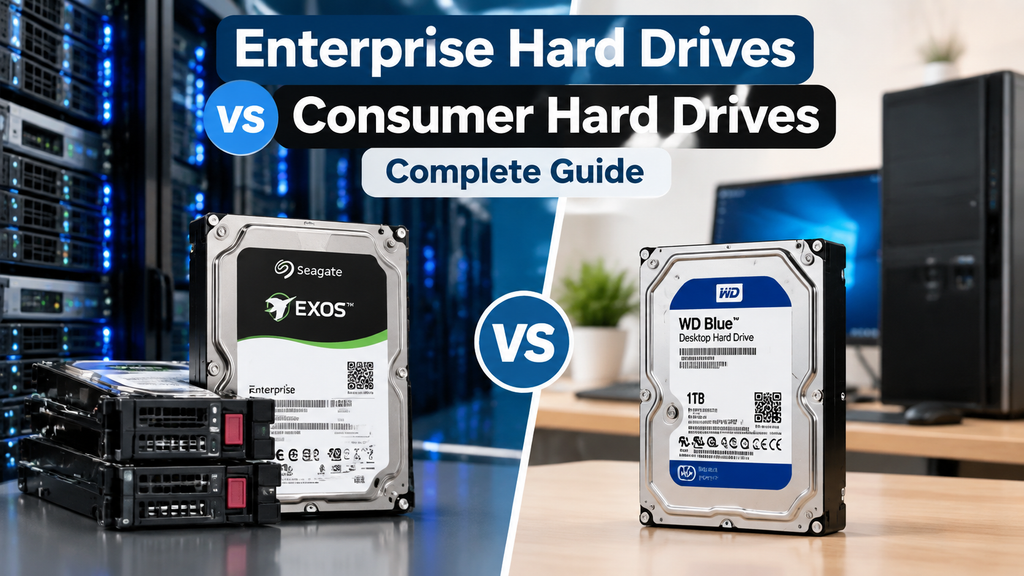
Enterprise Hard Drives vs Consumer Hard Drives: Complete Guide
Businesses, data centers, and IT teams need to make sure they pick the right hard drive. A consumer hard drive and an enterprise hard drive may look the same at first glance. The basic technology behind both is the same, and they are both the same size, at 3.5 inches and 2.5 inches.
When these drives are put under pressure, the difference shows up.
Every day, a home computer might run for a few hours. In a business setting, a server can be on all the time and handle thousands of requests, database processes, backups, and virtual machines. This is where business hard drives are made to handle a wider range of tasks.
We'll talk about the features, speed, and dependability of both enterprise and consumer hard drives in this guide, and help you decide which one is best for your needs.
What Is an Enterprise Hard Drive?
An enterprise hard drive is designed for servers, storage systems, data centers, and business applications where reliability matters. These drives are built for continuous operation and heavy workloads.
Common uses include:
- Server storage
- RAID arrays
- Network Attached Storage (NAS)
- Database servers
- Cloud storage systems
- Enterprise backup systems
Enterprise drives are tested for higher workloads and usually include features designed for professional environments.
Examples include:
- Dell enterprise HDDs
- Seagate Exos series
- Western Digital Ultrastar drives
- HGST enterprise hard drives
What Is a Consumer Hard Drive?
A consumer hard drive is made for everyday personal use. These drives are commonly found in desktop computers, home storage devices, and basic external drives.
Typical uses include:
- Personal computers
- Home media storage
- Office desktops
- Basic backups
Consumer drives are built around cost efficiency. They work well for normal workloads but may struggle in environments where the drive is constantly active.
Enterprise Hard Drives vs Consumer Hard Drives: Key Differences
1. Workload Capacity
The biggest difference is how much data a drive can store and process.
Most consumer hard drives are made to be used lightly to moderately. One or two hours a day of normal file access may be enough for them to work.
Enterprise drives are made to handle a lot more work. They can read and write to computers and storage systems all the time.
Most of the time, a company drive is better for a business that hosts databases or apps.
2. Reliability and Lifespan
Enterprise drives are built with longer operating cycles in mind.
A key measurement is MTBF (Mean Time Between Failures), which estimates the average operating time before a failure occurs.
Enterprise hard drives often have:
- Higher MTBF ratings
- Better internal components
- Improved error handling
- Longer warranty periods
Consumer drives usually have lower workload ratings because they are designed for personal systems.
3. 24/7 Operation
Servers rarely shut down.
An enterprise hard drive is designed to keep running around the clock. Manufacturers test these drives for continuous operation in server environments.
A consumer drive may work inside a server, but long-term stress can increase the chance of failure.
4. RAID Support
Many businesses use RAID systems to protect data and improve storage performance.
Enterprise hard drives include features that work better in RAID environments, such as:
- Better error recovery control
- Improved vibration handling
- Faster recovery from read errors
Consumer drives may spend too much time trying to recover damaged sectors, which can cause RAID systems to remove the drive.
5. Vibration Resistance
Servers often contain multiple hard drives installed close together.
Multiple spinning drives create vibration. Enterprise HDDs include technology to reduce the impact of vibration and maintain stable performance.
A consumer drive is usually designed for a single-drive desktop environment.
6. Performance
Enterprise drives often offer better performance under heavy workloads.
They are designed for:
- Multiple users accessing data
- Frequent read/write operations
- Server applications
- Large file transfers
A consumer drive can deliver good speed for personal use, but performance may drop when many users access the drive at the same time.
7. Cost Difference
Consumer hard drives are cheaper because they are made for everyday users.
Enterprise drives cost more due to:
- Higher reliability testing
- Better components
- Advanced firmware
- Longer service life
For a home PC, paying extra for enterprise storage may not make sense.
For a business server, replacing failed drives and recovering lost data can cost much more than buying enterprise storage from the start.
Enterprise HDD vs Consumer HDD Comparison
| Feature | Enterprise Hard Drive | Consumer Hard Drive |
|---|---|---|
| Main Use | Servers and data centers | Home PCs and personal storage |
| Workload | Heavy, continuous workloads | Light to medium workloads |
| Operation | 24/7 designed | Occasional daily use |
| RAID Support | Optimized | Limited |
| Vibration Protection | Better | Basic |
| Reliability | Higher | Standard |
| Price | Higher | Lower |
| Warranty | Usually longer | Usually shorter |
When Should You Buy an Enterprise Hard Drive?
An enterprise hard drive is a good choice if you are building:
- A company server
- A file storage system
- A RAID array
- A virtualization environment
- A database server
- A backup solution
Businesses cannot afford frequent downtime. A failed storage drive can interrupt operations and create data recovery problems.
When Is a Consumer Hard Drive Enough?
A consumer hard drive is suitable for:
- Home computers
- Personal backups
- Basic office systems
- Media storage
If the drive is only used for a few hours each day, a consumer model can provide good value.
Are Enterprise Hard Drives Worth the Extra Cost?
For business users, the answer is often yes.
The purchase price is only one part of storage costs. A failed drive can lead to:
- Lost productivity
- Downtime
- Data recovery expenses
- Replacement labor costs
Enterprise drives are designed to reduce these risks in demanding environments.
Where Can You Buy Enterprise Hard Drives in Canada?
Companies that need server storage solutions need to work with a reliable provider that knows what business hardware needs to do.
Beaver Computers offers business storage solutions in Canada, such as server hard drives, SAS drives, and replacement storage parts for offices.
If you need to replace a Dell server hard drive, an SAS HDD, or more business storage, making sure you get the right drive model is important for keeping your systems up and running.
Final Thoughts
Enterprise and consumer hard disks fulfilll distinct functions.
A consumer hard drive is an effective option for personal computers and routine data storing. An enterprise hard drive is designed for organizations requiring reliable storage for continuous operations.
Prior to making a purchase, evaluate the intended usage of the drive, the daily operational hours, and the significance of your data. The correct decision can conserve time, finances, and avert future complications.
If your organization relies on archived data, investing in high-quality storage solutions is typically the most secure option.