IBM Storwize V7000 Battery Backup Unit: Replacement Guide
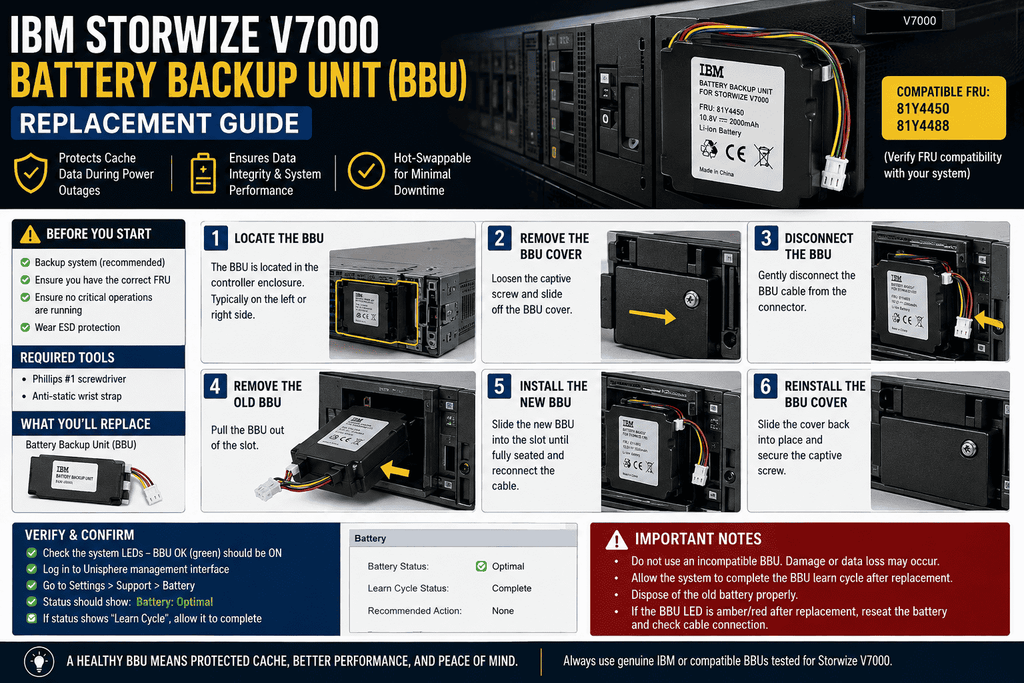
The battery backup unit (BBU) in an IBM Storwize V7000 control enclosure exists for one job: giving the system enough power to dump cached data to internal disk if both AC power inputs fail at once. When that battery degrades or fails, you're one power event away from losing whatever's sitting in cache. This guide covers how the V7000's battery system works, how to read its status LEDs, and how to safely replace a failed unit.
How the V7000 Battery System Works
It says that the Storwize V7000 control enclosure has two power supply units, and each one has a battery built in. Both node canisters get their power from power supply units and batteries. Each battery has enough power to power both node canisters for as long as it takes to save important cached data to the local drive. This means that in a fully redundant system with two working batteries, there's enough power to save important data from both canisters twice. This extra battery is important for how you should think about a single dead battery: the system can usually keep working on the last battery, but it's not in a healthy state. If one battery fails and isn't changed, it stops the other battery from going thru a maintenance discharge cycle. This shortens the life of the remaining battery and makes the maintenance discharge process less effective in general.</cite> That is, if one battery dies, the write-cache security for the whole enclosure is at risk, not just half of it.
If the batteries are defective or have reached end-of-life, the storage system may be unsuccessful in writing cached data to disk in the event of a power failure, which can result in loss of critical data which is exactly why proactive monitoring and prompt replacement matter more here than in less critical components.
Gen1 vs. Gen2: Know Which Enclosure You Have
The V7000 has shipped across multiple hardware generations, and the physical battery location differs between them:
- Gen1 control enclosures (e.g., 2076-112/124/312/324): The battery backup system fits these V7000 Storage models and is attached to the power supply unit. To change it, you have to take out the power supply and switch out the battery inside it.
- Gen2 control enclosures: The battery is located inside the node canister rather than the power supply, which changes the replacement procedure significantly you remove the node canister itself, open its lid, and access the battery from there.
Always confirm your exact enclosure model before ordering parts or starting a replacement — the battery, the removal procedure, and the part number all differ between generations.