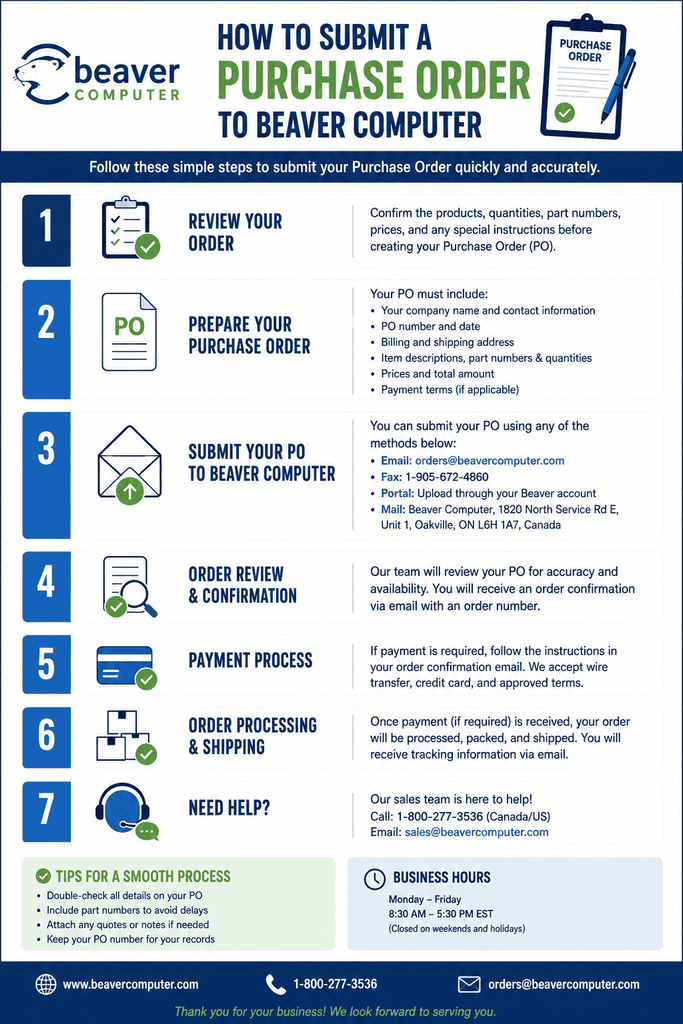
How to Submit a Purchase Order to Beaver Computer (step-by-step page)
Beaver Computer works with government agencies, schools, and educational institutions on purchase order (PO) terms. If your organization needs to buy through a PO rather than a standard online checkout, here's how to get your order submitted and processed smoothly.
Who Can Submit a Purchase Order?
Beaver Computer accepts purchase orders from:
- Federal, state/provincial, and local government agencies
- Public schools and school districts
- Most private schools and educational institutions
If you're unsure whether your organization qualifies for PO terms, reach out before placing your order — see contact details below.
Step 1: Build Your Order List
Browse the full catalog and note down:
- Exact product names/SKUs (or product page URLs) for each item you need
- Quantities for each item
- Any specific compatibility requirements (e.g., exact server or controller model the part needs to match)
If you're not certain which part fits your hardware, it's worth confirming compatibility before your PO is finalized — a wrong SKU on a government or school PO can slow down processing on both ends.
Step 2: Request a Quote
Before submitting your PO, get a formal quote so the pricing, part numbers, and totals on your purchase order match exactly what Beaver Computer has on file. Submit your item list through the Request For Quote page.
Include in your quote request:
- Your organization's name and type (government agency, public school, private school, etc.)
- Billing and shipping address
- Itemized list of products and quantities
- Any project or budget deadline that affects timing
Step 3: Prepare Your Purchase Order Document
Once you have a confirmed quote, prepare your official PO document. Make sure it includes:
- PO number — your organization's internal reference number
- Bill-to and ship-to addresses
- Itemized products matching the quote (SKU/part number, description, quantity, unit price)
- Total amount, matching the quote total
- Authorized signature or approval, per your organization's procurement policy
- Payment terms your organization is requesting (confirm accepted terms with Beaver Computer in advance)
Step 4: Submit the Purchase Order
Send your completed PO to Beaver Computer through one of the following channels:
- Email: admin@beavercomputers.com
- Phone: +1 (206) 962-4599 (to confirm receipt or ask questions before or after sending)
- Mail: 5189 Crimson Ridge, Chilliwack, British Columbia, V2R 0B4
When emailing your PO, reference your quote number (if one was provided) in the subject line to speed up matching your PO to the correct pricing on file.
Step 5: Confirmation and Processing
After Beaver Computer receives your PO:
- Your order is reviewed against the original quote to confirm pricing, part numbers, and quantities match.
- You'll receive confirmation that your PO has been accepted and is being processed.
- If anything doesn't match (a part number changed, an item is out of stock, etc.), Beaver Computer will contact you before proceeding, rather than shipping a substitution without approval.
- Once confirmed, your order moves into fulfillment per the shipping timeline discussed at quote stage.
Step 6: Track Your Order
For order status updates, contact Beaver Computer directly by phone or email using the contact information above, referencing your PO number.
Tips for a Smooth PO Experience
- Double-check part numbers before submitting. Server and storage components in particular (RAID batteries, controller cards, transceivers) often have similar-looking part numbers for different hardware generations — confirm compatibility with your exact system before your PO is finalized.
- Request a quote first. Submitting a PO without a matching quote on file can delay processing while pricing and availability are confirmed manually.
- Include a direct contact. Make sure your PO includes a name and direct contact (email/phone) for your organization in case Beaver Computer needs to reach someone with questions.
- Ask about lead times upfront, especially for larger orders or hard-to-source parts, so your internal timeline and Beaver Computer's fulfillment timeline line up.
Frequently Asked Questions
Does Beaver Computer accept POs from private businesses, or only government/education? Purchase order terms are extended to government agencies and public/most private schools. If you're a private business and want to discuss PO or net-terms options, contact Beaver Computer directly to ask.
Can I submit a PO without getting a quote first? It's strongly recommended to request a quote first so pricing and part numbers are confirmed and on file before your PO arrives — this avoids delays if anything doesn't match.
How do I check on the status of my submitted PO? Contact Beaver Computer by phone at +1 (206) 962-4599 or by email at admin@beavercomputers.com, referencing your PO number.
What if I need to make changes after submitting my PO? Contact Beaver Computer as soon as possible with your PO number and the requested change. Changes are easiest to accommodate before an order has moved into fulfillment.
Have questions about eligibility, payment terms, or a specific order? Reach out to Beaver Computer at admin@beavercomputers.com or +1 (206) 962-4599 — we're happy to help get your PO processed quickly.