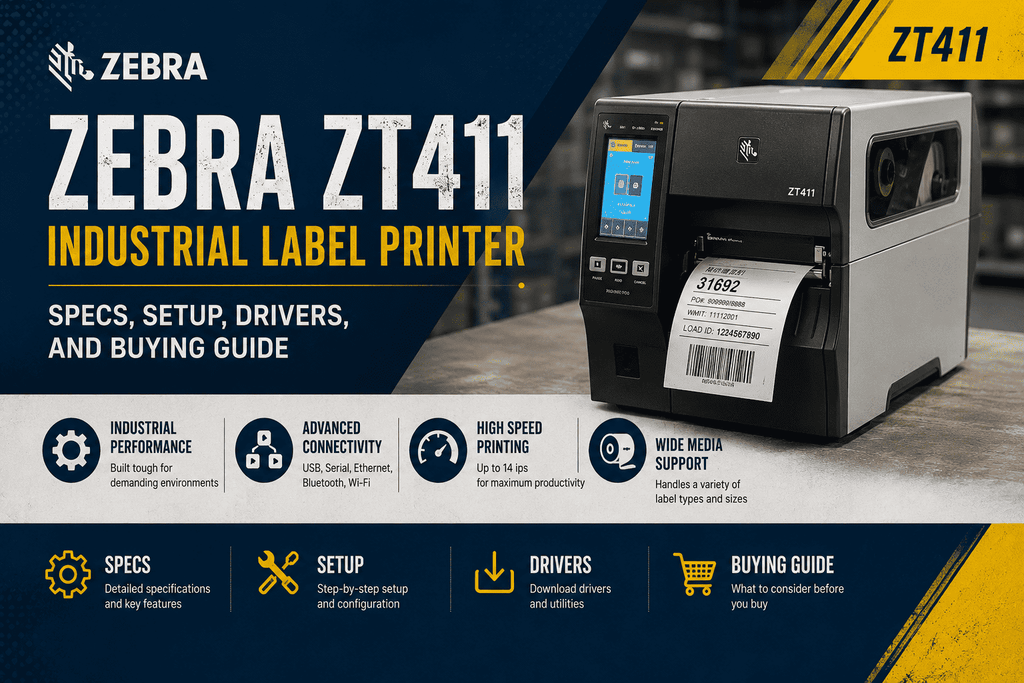
Zebra ZT411 Industrial Label Printer: Specs, Setup, Drivers, and Buying Guide
The Zebra ZT411 is an industrial barcode and label printer that is widely deployed and the subject of the most inquiries at Beaver Computers. These inquiries range from spec sheets and part number decoding to driver downloads, default passwords, and the comparison between the ZT410 and ZT231.
This guide consolidates all of that information in a single location.
What Is the Zebra ZT411?
The Zebra ZT411 industrial label printer is the 4-inch mid-range model in Zebra's ZT400 series. It was designed to replace the long-running ZT410 with a faster processor, a color touchscreen, and simpler supply loading.
It is a thermal transfer and direct thermal printer that is designed for intensive daily use in manufacturing, warehousing, logistics, and retail environments, where printers are expected to operate for years. It is not intended for occasional use or desktop use.
Depending on the source of your information or the location where you are purchasing, the Zebra ZT411 printer may be identified by various names, including ZDesigner ZT411, ZTC ZT411, or simply ZT411 label printer.
ZT411 Technical Specifications
The 4-inch ZT411 is the only model that offers a 600 dpi printhead option, and it supports a maximum print width of 4.09 in/104 mm, a 14 ips print speed, and a 203/300 dpi resolution. This option is not available on the 6-inch model.
The ZT400 series is available in both 4 in. and 6 in. models, with 203 dpi, 300 dpi, and 600 dpi (600 dpi is only available on the 4 in. ZT411).
Key specs at a glance:
| Spec | Detail |
|---|---|
| Print method | Thermal transfer & direct thermal |
| Resolutions | 203 dpi, 300 dpi, or 600 dpi (600 dpi on 4" model only) |
| Max print width | 4.09 in / 104 mm |
| Max print speed | 14 ips (356 mm/s) at 203 dpi |
| Display | 4.3-inch full-color touchscreen |
| Connectivity | Bluetooth 4.1, Ethernet, Serial, USB, and optional dual-band Wi-Fi are all available. |
| Construction | RFID options, media management, field-installable connectivity, and a metal frame |
| RFID | Optional UHF RFID encoding available (ZT411 RFID variant) |
| Operating system | Link-OS with Zebra DNA for Printers |
The ZT411 also comes in an RFID-capable configuration for printing and encoding smart labels — useful for asset tracking, on-metal tagging, and supply chain applications where a plain barcode isn't enough.
Decoding the ZT411 Part Number
Zebra part numbers look cryptic (things like ZT41142-T010000Z or ZT41143-T0A0000Z) but they actually encode the printer's exact configuration — resolution, print width, interface set, and options — in a fixed format. If you're comparing quotes or trying to match a replacement unit to what you already own, the safest way to confirm an exact match is to give us (or Zebra support) the full part number rather than trying to decode it by hand, since a single character difference can mean a different dpi or connectivity bundle. Beaver Computers can look up any ZT411 part number and confirm exactly what configuration it represents before you buy.
ZT411 vs. ZT410: What Changed
The ZT410 was Zebra's previous-generation 4-inch industrial printer, and it's still widely used and supported. The ZT411 is its direct successor. The core printing mechanics are similar, but the ZT411 adds:
- A faster processor for quicker label rendering
- A larger, higher-resolution full-color touch display
- Simplified side-loading media and ribbon path with color-coded, lighted guides
- Dual USB host ports (vs. single on the ZT410)
- The option for 600 dpi printing (not available on the ZT410)
If you already run ZT410s and need a drop-in replacement or expansion unit, the ZT411 is fully compatible with the same label and ribbon supplies.
ZT411 vs. ZT231: Which One Do You Need?
The ZT231 is Zebra's entry-level industrial printer, while the ZT411 sits in the mid-range tier. If you're weighing ZT231 vs. ZT411, the decision usually comes down to:
- Print volume and duty cycle — the ZT411's more robust engine is built for higher daily print volumes and heavier-duty environments.
- Connectivity and RFID needs — the ZT411 offers RFID options and more built-in connectivity; the ZT231 is a more basic, budget-focused unit.
- Display and control — the ZT411's full-color touchscreen offers easier on-device configuration than the ZT231's simpler interface.
- Budget — the ZT231 costs less up front but has fewer expansion and performance headroom options.
For light-duty applications, the ZT231 is often sufficient. For 24/7 industrial use, RFID printing, or higher print speeds, the ZT411 is the better long-term investment.
Drivers, Firmware, and Software
- ZDesigner driver: The ZT411 uses Zebra's standard ZDesigner ZT411 driver (available in 203 dpi and 300 dpi variants matching your printhead). Always match the driver's dpi setting to your actual printhead resolution, or labels will print at the wrong scale.
- Firmware: Zebra periodically releases firmware updates for the ZT411 to improve performance, add features, and patch security issues. Firmware is applied through Zebra Setup Utilities, the printer's USB port, or over the network.
- ZPL: The ZT411 uses Zebra Programming Language (ZPL II), the same label format language used across most modern Zebra printers, so existing ZPL label templates from other Zebra models will generally work with minor adjustments.
We recommend downloading drivers and firmware directly from Zebra's official support site to ensure you're getting a version matched to your exact printer configuration and dpi.
Default Username, Password, and Factory Reset
The ZT411, as well as other Zebra printers, are equipped with password protection on specific front-panel and web-based configuration menus to prevent unintended modifications on the shop floor.
In the event that a technician has altered the password and it is no longer documented, it is frequently necessary to perform a factory reset in order to restore the printer's default settings and password.
A few important notes:
- Zebra does not provide a universal backdoor password; thus, there is no official universal password for Zebra printers, making a factory reset the sole dependable method for regaining access.
- Factory reset procedures vary slightly by firmware version and model, so we recommend confirming the exact button sequence for your specific ZT411 firmware via Zebra's official support documentation before attempting it, since resetting also clears custom network and calibration settings.
- If your printer is networked, changing the default password immediately after setup is strongly recommended — an unsecured printer on your network is a real attack surface, not just a formality.
If you're not sure which firmware version you're on or want a technician to walk through it with you, Beaver Computers can help you safely reset and reconfigure a ZT411 without losing your production settings.
How to Calibrate a Zebra ZT411
Calibration teaches the printer where your label gaps or black marks are, and it's the first troubleshooting step for media feed issues or ribbon/media out errors:
- Load a full roll of media and ribbon correctly through the color-coded supply path.
- Close the printhead firmly until it latches.
- From the touchscreen, go to Menu > Print > Calibrate (exact path may vary slightly by firmware version).
- Let the printer feed several labels automatically while it measures the gap or black mark spacing.
- Confirm the printer returns to Ready status and prints a test label cleanly.
If calibration repeatedly fails, check that the media and ribbon sensors are clean and that you're using a full, unspliced roll for the calibration pass — partial rolls with splices can throw off the sensor reading. If you're also seeing ribbon or media out alerts on your ZT410 or ZT411, see our companion article on troubleshooting those errors.
Labels, Ribbon, and Printhead for the ZT411
The ZT411 supports a wide range of label stock (die-cut, continuous, tags, wristbands) and ribbon types (wax, wax-resin, resin) depending on your application — shipping labels, asset tags, product labels, or on-metal RFID tags. Matching ribbon chemistry to label material affects both print quality and how easily the ribbon releases from the label after printing.
Printheads are a normal wear item on any high-duty-cycle thermal printer. If you're seeing thin white lines through printed labels, uneven darkness, or reduced print quality after heavy use, it's usually time to inspect or replace the printhead rather than assume it's a settings issue.
Pricing
ZT411 pricing varies significantly based on resolution (203/300/600 dpi), connectivity options (Ethernet-only vs. wireless), and whether you need the RFID-capable configuration — so a specific number isn't meaningful without knowing your exact requirements. Beaver Computers can put together a quote matched to your print width, resolution, connectivity, and volume needs, including compatible ribbon and label supplies.
Frequently Asked Questions
Is the ZT411 the same as the ZT410? No — the ZT411 is the newer, updated successor to the ZT410. It shares the same core supplies and 4-inch print width but adds a faster processor, color touchscreen, and 600 dpi option.
What resolution options does the ZT411 come in? 203 dpi, 300 dpi, and 600 dpi – the 600 dpi setting is exclusively offered on the 4-inch ZT411, and is not present on the 6-inch variant.
How do I find the default password for a Zebra ZT411? Zebra does not provide a universal default password; performing a complete factory reset will revert the printer to its initial default password.
Verify the precise reset protocol for your firmware version via official Zebra literature, as it will also erase personalized configurations..
How do I calibrate a Zebra ZT411? Load a full roll of media and ribbon, close the printhead, and run the calibration option from the touchscreen menu (Menu > Print > Calibrate). The printer will feed several labels to measure gap or black mark spacing automatically.
Should I buy a ZT411 or a ZT231? Choose the ZT411 for higher print volumes, RFID needs, or heavier industrial duty cycles. The ZT231 is a solid, lower-cost option for lighter-duty applications.
Looking for a ZT411, replacement parts, ribbon, labels, or a firmware/driver install? Contact Beaver Computers — we carry the ZT411 and ZT410 along with compatible supplies and can help match the right configuration to your setup.