How to Identify the Right Replacement Battery for Your RAID Controller
If a server, storage array or NAS starts issuing warnings about a “degraded” or “failed” battery backup unit (BBU), it's easy to assume you need to replace the entire controller. In most cases it doesn't. The battery is the weak link, not the controller card itself, and the battery is a modular component that can be replaced independently.
This guide will take you through exactly what battery your system needs, why it matters, and what to look for when buying a replacement.
Why RAID Controllers Need a Battery in the First Place
RAID controllers that use write-back cache store data in a small amount of on-board memory before writing it to disk. This significantly improves write performance. The risk: if the server loses power before that cached data hits the disks, you lose it.
The battery backup unit exists to bridge that gap. It keeps the cache memory powered during an outage, giving the array time to flush the data to disk once power returns, or simply hold it until the system comes back online.
Without a working BBU, most RAID controllers will automatically fall back to write-through caching, which is safe but noticeably slower. This is usually the first sign something's wrong: a sudden, unexplained drop in disk performance, often paired with an alert in the RAID management software.
Signs Your BBU Needs Replacing
- Controller software (MegaRAID Storage Manager, IBM ServeRAID Manager, etc.) reports the battery as "degraded," "failed," or "needs relearn"
- Write performance drops noticeably with no other explanation
- The battery is nearing or past its typical 2–3 year service life
- Physical swelling, corrosion, or leakage on the battery pack itself
- The system logs repeated "cache disabled "no battery" events
A battery that's simply old is often more cost-effective to replace proactively than to wait for a hard failure during a power event.
How to Identify the Correct Replacement Part
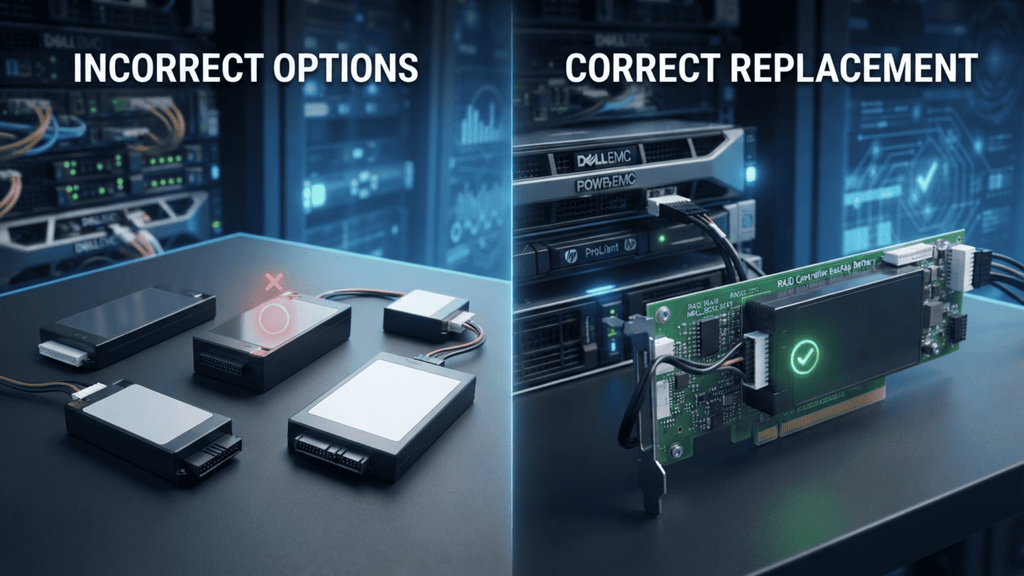
Most mistakes are made here - BBUs are not universal and similar looking packs can have different voltages, capacities or connector pinouts. Check before ordering:
1. The exact model of the controller. The controller, not just the server brand, dictates battery compatibility. Even similar models such as an IBM ServeRAID M5015 and an M5110 may not share the same battery pack. Grab the model number . On the controller card itself or in the management software .
2. The manufacturer part number (MPN) – beyond description. RAID batteries are often listed under multiple overlapping part numbers — for example, an IBM/LSI battery pack may be listed as 46C8872, 46C8873, 81Y4490, or 81Y4451 depending on revision and OEM rebranding. Matching the exact MPN (or a confirmed cross-reference) is the safest way to avoid ordering the wrong part.
3. Battery type: BBU vs. supercap (CacheVault) Newer controllers have largely abandoned lithium-ion BBUs in favor of flash-backed supercapacitor modules, which don’t degrade the same way and don’t require periodic “relearn” cycles. Check which technology your controller uses — they are not interchangeable, and ordering the wrong type simply won't work.
4. Physical connector and mounting. Even within the same battery family, connector orientation and cable length can vary between server chassis. If you're replacing a battery that sits on a riser or remote-mounts away from the controller, confirm cable length before ordering.
A Quick Compatibility Checklist
Before placing an order, have these on hand:
- RAID controller model number
- Current battery part number (printed on the pack, if legible)
- Server make/model (for OEM-specific variants)
- Confirmation of BBU vs. supercapacitor type
- Whether the battery is board-mounted or remote/cabled
Why This Matters for IT Procurement
Getting the part number wrong is more than a pain for IT teams managing infrastructure, particularly in government, education or healthcare settings purchasing through formal POs. It means a second procurement cycle, additional downtime running in write-through mode, and in some cases, an unreturnable special-order part.
Sourcing from a supplier that stocks cross-referenced OEM parts (rather than only first-party branded batteries) also matters here: many of these controllers are years past manufacturer support, and OEM-exact replacements are often the only realistic option.
The Bottom Line
A “failed battery” alert doesn’t mean your RAID controller is dying – it usually means one small, replaceable component needs attention. The trick to getting it right the first time is matching the controller model, exact MPN, battery type and physical connector before you order. Get those four details confirmed and the replacement itself is typically a five minute swap with no downtime other than the write through slowdown you were already seeing.
Unsure which battery your controller requires? Please send us the model number and we'll help confirm the correct part for you before ordering.